


 LED Grow Lights
 Apollo
 Apollo Original Series
 Apollo Falcon Series
 Apollo X-Series
 Lumatek
 Lumatek ATS Pro Series
 Lumatek Zeus Pro Series
 Lumatek VF Series
 Mars Hydro
 Mars Hydro TS-Serie
 Mars Hydro FC-EVO
 Mars Hydro FC-E Serie
 Mars Hydro SP Series
 Spectrabox
 Spectrabox UFO Series
 Spectrabox XTR Series
 Spectrabox Drone
 Spider Farmer
 Spider Farmer SF-Series
 Spider Farmer SE-Series
 Spider Farmer G-Series
 Spider Farmer Supplemental
 Fluence
 Migro
Migro
 Moeslamp
 KIND LED
 Mother
 Sanlight
 Spectro Light
 Secret Jardin
 Telos LED
 The Jungle
 Viparspectra
 E27 LED Grow Lights
 LED Grow Panel
 LED Grow Strips
 Bilberry
 LED Light Sources
 LED lamps
 E14 LED bulbs
 E14 Filament
 E14 Dimmable Lamps
 E14 Smart Lamps
 E14 Decorative Lamps
 E14 Warm White (3000K)
 E27 LED lamps
 E27 Filament
 E27 Dimmable Lamps
 E27 Smart Light Bulbs
 E27 Decorative Lamps
 E27 Warm White (3000K)
 E27 Neutral White (4000K)
 E27 Cool White (6000K)
 G4 LED bulbs
 G9 LED bulbs
 R7S LED bulbs
 LED Spots
 LED spots GU10
 Smart LED Spots
 Dimmable LED Spotlights
 Recessed LED spotlights
 LED Surface Mount Spotlights
 LED Fluorescent Tubes
 LED TL T5
 LED TL T8
 60 cm
60 cm
 90 cm
90 cm
 120 cm
 150 cm
 LED TL 3000K
 LED TL 4000K
 LED TL 6000K
 LED strips
 LED Strip Warm White 3000K
 LED Strip Bright White 4000K
 LED Strip Cool White 6000K
 LED Strip RGB
 Smart LED Strips
 LED strip accessories
 Decorative lamps
 Amber Lamps
 Smoke Lamps
 LED Filament
 Globe Lamps
 Edison Lamps
 Indoor LED Lighting
 LED Panels
 LED Panel 30x30 cm
 LED Panel 30x60 cm
 LED Panel 60x60 cm
 LED Panel 62x62 cm
 LED Panel 30x120 cm
 LED Panel 60x120 cm
 LED Panel 30x150 cm
 3000K (Kelvin)
 LED Panel 4000K (Kelvin)
 LED Panel 6000K (Kelvin)
 LED Downlights
 LED Downlights Round
 LED Downlights Recessed
 LED Downlights Dimmable
 LED Downlights Surface Mounted
 LED Downlights Square
 LED Railspots
 1-phase LED track spotlights
 3-phase LED track spotlights
 GU10 track spotlights
 Black LED track spotlights
 White LED track spotlights
 Rail spotlights Accessories
 LED ceiling lights
 Dimmable LED ceiling lights
 LED ceiling lights with sensor
 LED ceiling lights with fan
 Round LED ceiling lights
 Square LED ceiling lights
 LED Wall Lights
 LED Wall Lights Up & Down
 LED Wall Lights Sensor
 LED Wall Lights Spot
 LED Wall Lights Dimmable
 LED Wall Lights Design
 Recessed LED wall lights
 LED Floor Lamps
 LED Uplights
 LED Tripod Floor Lamps
 LED Arc Lamps
 LED Design Floor Lamps
 Industrial LED Floor Lamps
 LED Table Lamps
 Rechargeable LED table lamps
 LED table lamps design
 LED table lamps, dimmable
 LED table lamps with sensor
 LED Mirrors
 LED Mirror Lights
 LED bathroom mirrors
 Dimmable LED mirrors
 Round LED mirrors
 LED makeup mirrors
 LED mirror cabinets
 LED Hanging lamps
 LED pendant lights E27
 LED pendant lights E14
 LED pendant lights, dimmable
 LED hanglampen design
 Industrial LED pendant lights
 LED high-bays
 LED High Bays 4000K
 LED High Bays 6000K
 Lineaire LED High Bays
 UFO LED High Bays
 LED Fluorescent Luminaires
 LED wireless lighting
 Outdoor LED Lighting
 LED Floodlights
 Garden lighting
 LED Construction Lights
 Street lighting
 LED Sports Field Lighting
 Outdoor Table Lamps
 Light poles
 Outdoor Wall Lamps
 Smart Home
 Smart LED Lighting
 Smart Climate Control
 Smart Thermostats
 Smart Radiator Thermostats
 Smart Energy Monitoring
 Humidifiers & Aroma Diffusers
 Smart Security
 Smart Security Cameras
 Smart Video Doorbells
 Smart Alarm Systems
 SOS buttons & watches
 Smoke, Fire and Gas Detectors
 Smart Home Sensors
 Temperature & Hygrometer Sensors
 Air Quality Monitors
 Motion Sensors (PIR)
 Smart Accessories
 Smart Power Plugs
 Smart Built-In Switches
 Wireless Smart Switches
 Smart Remote Controls
 Smart Gateways
 Commercial LED Lighting
 Lighting By Room
 Living room
 Pendant lamps
 Ceiling lights
 Floor lamps
 Table lamps
 Wall lights
 Bedroom
 Night lights
 Wall Lamps
 Ceiling lights
 Floor lamps
 Bathroom
 Bathroom ceiling lights
 Mirror lighting
 Spots (IP rating suitable)
 LED Mirror Cabinets
 Kitchen
 Ceiling lights
 Pendant lamps
 Spotlights / recessed spotlights
 Kitchen cabinet lighting
 Dining room
 Pendant lamps
 Ceiling lights
 Rail spotlights
 Floor lamps
 Hallway & Corridor
 Children's room
 LED Accessories
 Lampholders & fittings
 GU10 fittings
 E27 fittings
 E14 fittings
 G9 fittings
 Switching equipment
 Light switches
 LED dimmers
 Sockets & cover plates
 Outdoor switches
 Installation cable & wire
 Flexible conduit with wire
 YMVK installation cable
 VD installation wire
 VMVL cables
 Solar cables
 SIHF silicone cables
 Cables & extension leads
 Power cables
 Power cables
 Extension leads
 Cable reels
 Network cables
 Connection materials
 Terminal blocks
 Cable connectors
 Insulation tape
 Cable ties
 Sensors & switching
 Timer switch
 Motion sensors
 Dusk-to-dawn switches
 Installation accessories
 Junction boxes & wall boxes
 Cable trunking
 Mounting hardware
 LED drivers & power supply
 LED drivers
 LED transformers
 Panels & mounting
 LED panel surface frames
 LED panel suspension kits
 Other accessories
 Home Batteries & Power Stations
 E27 festoon cables
 Floodlight accessories
 Red Light Therapy
 Method Seven

Wireless Smart Switches
Buy wireless smart switches
With wireless smart switches, you can control lighting and smart circuits from a fixed, familiar spot—without running new wiring. Perfect for renovations, rental homes, and situations where you do want a wall switch, but can’t or don’t want to add extra cables. Simply stick or screw the switch where you need it and pair it with a receiver or your smart home platform. That way, on/off control and scenes are always within reach—without relying only on the app.
RF 433 MHz or Zigbee: choose the protocol that fits your setup
RF 433 MHz: fast, reliable, and ideal for extra switches
RF 433 MHz is popular because it switches quickly and consistently. You’ll find versions with 1, 2 or 3 buttons, so you can control a single light, multiple zones, or scenes. Depending on the product, you’ll choose either a standalone switch (receiver not included) or a set including an RF receiver. This is an efficient way to add an extra control point—next to the sofa, by the bed, or at the stairs—without chasing walls.
Zigbee: seamless integration in your ecosystem
If you want switches that integrate neatly into your smart home ecosystem, Zigbee is a great option. Zigbee switches are ideal when you want central scene and automation control and easy expansion via a hub (depending on which hub you use). This is especially useful if you already run Zigbee devices or want broad compatibility within a well-known platform.
What to look for when choosing a wireless switch
The best choice depends on your goal: do you simply want an extra wall switch, do you want dimming control, or do you want full integration with voice and app control? Focus on:
- Number of buttons: 1/2/3-gang for a single point, multiple zones, or scenes.
- Power source: battery (coin cell) or kinetic (no batteries) for minimal maintenance.
- Do you need a receiver? Standalone switch vs. a set with receiver (ideal if you want a complete starter setup).
- Load rating: check the receiver/module’s maximum wattage/amps for your light or circuit.
- Platform: choose RF, Zigbee, or hybrid solutions (e.g. WiFi + RF), depending on your smart home environment.
Combine for maximum ease of use
Wireless switches become even more powerful when combined with the right building blocks. This lets you use manual control and automations side by side—great for family members, guests, or moments when you want instant control without your phone. To expand your setup logically, also see: Smart Home, Smart accessories, Smart power plugs, Smart remote controls and Smart lighting.
Practical installation tips
Place the switch on a logical route (entryway, stairs, bedside), test the range first, and only then mount it permanently. If you’re using a receiver or an in-wall/surface module, consider available space and electrical safety. If you’re unsure about wiring or load limits, have installation done by a qualified installer.
Uitgelichte merken voor Wireless Smart Switches
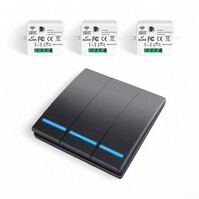
• Signaal: RF433 MHz • Ontvangers: Meegeleverd • Bediening: Tuya Smart Life
• Signaal: RF433 MHz • Ontvangers: Meegeleverd • Bediening: Tuya Smart Life
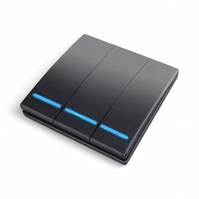
• Draadloze frequentie: 433 MHz • Maximale belasting: 10 A • Voeding: batterij of netstroom
• Draadloze frequentie: 433 MHz • Maximale belasting: 10 A • Voeding: batterij of netstroom
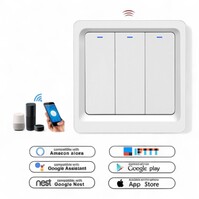
• Draadloze verbinding: 2,4 GHz WiFi • Compatibiliteit: Tuya, Google, Alexa • Voeding: 100–240V AC
• Draadloze verbinding: 2,4 GHz WiFi • Compatibiliteit: Tuya, Google, Alexa • Voeding: 100–240V AC
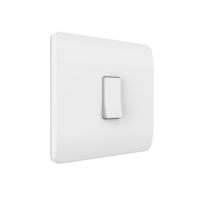
• Draadloos: RF 433 MHz • Voeding: Knoopcelbatterij • Knoppen: 1/2/3 knoppen
• Draadloos: RF 433 MHz • Voeding: Knoopcelbatterij • Knoppen: 1/2/3 knoppen
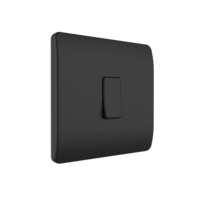
• Draadloze verbinding: RF 433 MHz • Voeding: Knoopcelbatterij • Uitvoering: 1/2/3 knoppen
• Draadloze verbinding: RF 433 MHz • Voeding: Knoopcelbatterij • Uitvoering: 1/2/3 knoppen

• Communicatie: RF 433 MHz • Voeding: Kinetisch, geen batterijen • Functie: Aan/Uit + dimmer
• Communicatie: RF 433 MHz • Voeding: Kinetisch, geen batterijen • Functie: Aan/Uit + dimmer
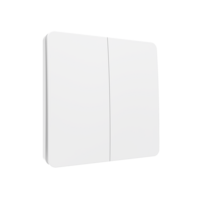
• Draadloos: RF 433 MHz • Voeding: Kinetische voeding • Functie: Aan/Uit + dimmer
• Draadloos: RF 433 MHz • Voeding: Kinetische voeding • Functie: Aan/Uit + dimmer
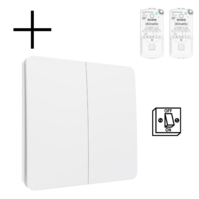
• Communicatie: RF 433 MHz • Voeding: Geen batterijen • Functie: Aan/Uit + dimbaar
• Communicatie: RF 433 MHz • Voeding: Geen batterijen • Functie: Aan/Uit + dimbaar
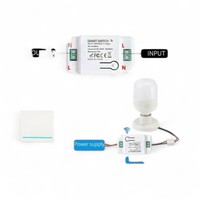
• Vermogen: 10A / 2200W • Connectiviteit: WiFi 2.4GHz + RF 433MHz • Bediening: Tuya/Smart Life, Google, Alexa
• Vermogen: 10A / 2200W • Connectiviteit: WiFi 2.4GHz + RF 433MHz • Bediening: Tuya/Smart Life, Google, Alexa
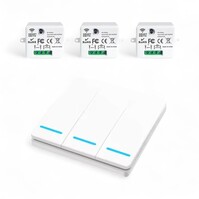
• Connectiviteit: RF 433 MHz • Ontvanger max. belasting: 10A • Knoppen: 3 knoppen
• Connectiviteit: RF 433 MHz • Ontvanger max. belasting: 10A • Knoppen: 3 knoppen
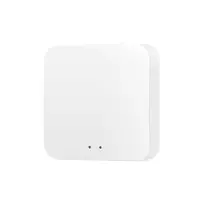
• Protocol: Zigbee 3.0 • Capaciteit: Tot 100 apparaten • Connectiviteit: WiFi 2.4GHz
• Protocol: Zigbee 3.0 • Capaciteit: Tot 100 apparaten • Connectiviteit: WiFi 2.4GHz
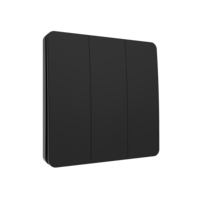
• Draadloze bediening: RF 433 MHz • Voeding: Kinetisch (geen batterijen) • Uitvoering: 3-voudig (Aan/Uit + dimmer)
• Draadloze bediening: RF 433 MHz • Voeding: Kinetisch (geen batterijen) • Uitvoering: 3-voudig (Aan/Uit + dimmer)
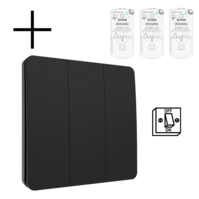
• Frequentie: RF 433 MHz • Voeding: Kinetisch, geen batterijen • Functie: Aan/Uit + dimbaar
• Frequentie: RF 433 MHz • Voeding: Kinetisch, geen batterijen • Functie: Aan/Uit + dimbaar
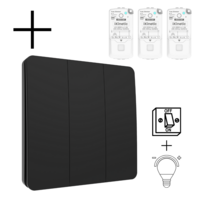
• Draadloze frequentie: RF 433 MHz • Voeding: Kinetische voeding • Functies: Aan/uit + dimmer
• Draadloze frequentie: RF 433 MHz • Voeding: Kinetische voeding • Functies: Aan/uit + dimmer
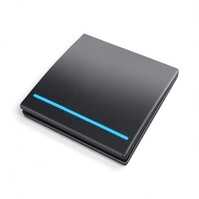
• Communicatie: RF 433 MHz • Aantal knoppen: 1 knop • Max. belasting: 10 A
• Communicatie: RF 433 MHz • Aantal knoppen: 1 knop • Max. belasting: 10 A
Buy wireless smart switches
With wireless smart switches, you can control lighting and smart circuits from a fixed, familiar spot—without running new wiring. Perfect for renovations, rental homes, and situations where you do want a wall switch, but can’t or don’t want to add extra cables. Simply stick or screw the switch where you need it and pair it with a receiver or your smart home platform. That way, on/off control and scenes are always within reach—without relying only on the app.
RF 433 MHz or Zigbee: choose the protocol that fits your setup
RF 433 MHz: fast, reliable, and ideal for extra switches
RF 433 MHz is popular because it switches quickly and consistently. You’ll find versions with 1, 2 or 3 buttons, so you can control a single light, multiple zones, or scenes. Depending on the product, you’ll choose either a standalone switch (receiver not included) or a set including an RF receiver. This is an efficient way to add an extra control point—next to the sofa, by the bed, or at the stairs—without chasing walls.
Zigbee: seamless integration in your ecosystem
If you want switches that integrate neatly into your smart home ecosystem, Zigbee is a great option. Zigbee switches are ideal when you want central scene and automation control and easy expansion via a hub (depending on which hub you use). This is especially useful if you already run Zigbee devices or want broad compatibility within a well-known platform.
What to look for when choosing a wireless switch
The best choice depends on your goal: do you simply want an extra wall switch, do you want dimming control, or do you want full integration with voice and app control? Focus on:
- Number of buttons: 1/2/3-gang for a single point, multiple zones, or scenes.
- Power source: battery (coin cell) or kinetic (no batteries) for minimal maintenance.
- Do you need a receiver? Standalone switch vs. a set with receiver (ideal if you want a complete starter setup).
- Load rating: check the receiver/module’s maximum wattage/amps for your light or circuit.
- Platform: choose RF, Zigbee, or hybrid solutions (e.g. WiFi + RF), depending on your smart home environment.
Combine for maximum ease of use
Wireless switches become even more powerful when combined with the right building blocks. This lets you use manual control and automations side by side—great for family members, guests, or moments when you want instant control without your phone. To expand your setup logically, also see: Smart Home, Smart accessories, Smart power plugs, Smart remote controls and Smart lighting.
Practical installation tips
Place the switch on a logical route (entryway, stairs, bedside), test the range first, and only then mount it permanently. If you’re using a receiver or an in-wall/surface module, consider available space and electrical safety. If you’re unsure about wiring or load limits, have installation done by a qualified installer.
