


 LED Grow Lights
 Apollo
 Apollo Original Series
 Apollo Falcon Series
 Apollo X-Series
 Lumatek
 Lumatek ATS Pro Series
 Lumatek Zeus Pro Series
 Lumatek VF Series
 Mars Hydro
 Mars Hydro TS-Serie
 Mars Hydro FC-EVO
 Mars Hydro FC-E Serie
 Mars Hydro SP Series
 Spectrabox
 Spectrabox UFO Series
 Spectrabox XTR Series
 Spectrabox Drone
 Spider Farmer
 Spider Farmer SF-Series
 Spider Farmer SE-Series
 Spider Farmer G-Series
 Spider Farmer Supplemental
 Fluence
 Migro
Migro
 Moeslamp
 KIND LED
 Mother
 Sanlight
 Spectro Light
 Secret Jardin
 Telos LED
 The Jungle
 Viparspectra
 E27 LED Grow Lights
 LED Grow Panel
 LED Grow Strips
 Bilberry
 LED Light Sources
 LED lamps
 E14 LED bulbs
 E14 Filament
 E14 Dimmable Lamps
 E14 Smart Lamps
 E14 Decorative Lamps
 E14 Warm White (3000K)
 E27 LED lamps
 E27 Filament
 E27 Dimmable Lamps
 E27 Smart Light Bulbs
 E27 Decorative Lamps
 E27 Warm White (3000K)
 E27 Neutral White (4000K)
 E27 Cool White (6000K)
 G4 LED bulbs
 G9 LED bulbs
 R7S LED bulbs
 LED Spots
 LED spots GU10
 Smart LED Spots
 Dimmable LED Spotlights
 Recessed LED spotlights
 LED Surface Mount Spotlights
 LED Fluorescent Tubes
 LED TL T5
 LED TL T8
 60 cm
60 cm
 90 cm
90 cm
 120 cm
 150 cm
 LED TL 3000K
 LED TL 4000K
 LED TL 6000K
 LED strips
 LED Strip Warm White 3000K
 LED Strip Bright White 4000K
 LED Strip Cool White 6000K
 LED Strip RGB
 Smart LED Strips
 LED strip accessories
 Decorative lamps
 Amber Lamps
 Smoke Lamps
 LED Filament
 Globe Lamps
 Edison Lamps
 Indoor LED Lighting
 LED Panels
 LED Panel 30x30 cm
 LED Panel 30x60 cm
 LED Panel 60x60 cm
 LED Panel 62x62 cm
 LED Panel 30x120 cm
 LED Panel 60x120 cm
 LED Panel 30x150 cm
 3000K (Kelvin)
 LED Panel 4000K (Kelvin)
 LED Panel 6000K (Kelvin)
 LED Downlights
 LED Downlights Round
 LED Downlights Recessed
 LED Downlights Dimmable
 LED Downlights Surface Mounted
 LED Downlights Square
 LED Railspots
 1-phase LED track spotlights
 3-phase LED track spotlights
 GU10 track spotlights
 Black LED track spotlights
 White LED track spotlights
 Rail spotlights Accessories
 LED ceiling lights
 Dimmable LED ceiling lights
 LED ceiling lights with sensor
 LED ceiling lights with fan
 Round LED ceiling lights
 Square LED ceiling lights
 LED Wall Lights
 LED Wall Lights Up & Down
 LED Wall Lights Sensor
 LED Wall Lights Spot
 LED Wall Lights Dimmable
 LED Wall Lights Design
 Recessed LED wall lights
 LED Floor Lamps
 LED Uplights
 LED Tripod Floor Lamps
 LED Arc Lamps
 LED Design Floor Lamps
 Industrial LED Floor Lamps
 LED Table Lamps
 Rechargeable LED table lamps
 LED table lamps design
 LED table lamps, dimmable
 LED table lamps with sensor
 LED Mirrors
 LED Mirror Lights
 LED bathroom mirrors
 Round LED mirrors
 LED makeup mirrors
 LED mirror cabinets
 LED Hanging lamps
 LED pendant lights E27
 LED pendant lights E14
 LED pendant lights, dimmable
 LED hanglampen design
 Industrial LED pendant lights
 LED high-bays
 LED High Bays 4000K
 LED High Bays 6000K
 Lineaire LED High Bays
 UFO LED High Bays
 LED Fluorescent Luminaires
 LED wireless lighting
 Outdoor LED Lighting
 LED Floodlights
 Garden lighting
 LED Construction Lights
 Street lighting
 LED Sports Field Lighting
 Outdoor Table Lamps
 Light poles
 Outdoor Spike Spotlights
 LED Ground Spotlights
 Outdoor Wall Lamps
 House Number Lighting
 Smart Home
 Smart LED Lighting
 Smart Climate Control
 Smart Thermostats
 Smart Radiator Thermostats
 Smart Energy Monitoring
 Humidifiers & Aroma Diffusers
 Smart Security
 Smart Security Cameras
 Smart Video Doorbells
 Smart Alarm Systems
 SOS buttons & watches
 Smoke, Fire and Gas Detectors
 Smart Home Sensors
 Temperature & Hygrometer Sensors
 Air Quality Monitors
 Motion Sensors (PIR)
 Smart Accessories
 Smart Power Plugs
 Smart Built-In Switches
 Wireless Smart Switches
 Smart Remote Controls
 Smart Gateways
 Commercial LED Lighting
 Lighting By Room
 Living room
 Pendant lamps
 Ceiling lights
 Floor lamps
 Table lamps
 Wall lights
 Bedroom
 Night lights
 Wall Lamps
 Ceiling lights
 Floor lamps
 Bathroom
 Bathroom ceiling lights
 Mirror lighting
 Spots (IP rating suitable)
 LED Mirror Cabinets
 Kitchen
 Ceiling lights
 Pendant lamps
 Spotlights / recessed spotlights
 Kitchen cabinet lighting
 Dining room
 Pendant lamps
 Ceiling lights
 Rail spotlights
 Floor lamps
 Hallway & Corridor
 Children's room
 LED Accessories
 Lampholders & fittings
 GU10 fittings
 E27 fittings
 E14 fittings
 G9 fittings
 Switching equipment
 Light switches
 LED dimmers
 Sockets & cover plates
 Outdoor switches
 Installation cable & wire
 Flexible conduit with wire
 YMVK installation cable
 VD installation wire
 VMVL cables
 Solar cables
 SIHF silicone cables
 Cables & extension leads
 Power cables
 Power cables
 Extension leads
 Cable reels
 Network cables
 Connection materials
 Terminal blocks
 Cable connectors
 Insulation tape
 Cable ties
 Sensors & switching
 Timer switch
 Motion sensors
 Dusk-to-dawn switches
 Installation accessories
 Junction boxes & wall boxes
 Cable trunking
 Mounting hardware
 LED drivers & power supply
 LED drivers
 LED transformers
 Panels & mounting
 LED panel surface frames
 LED panel suspension kits
 Other accessories
 Home Batteries & Power Stations
 E27 festoon cables
 Floodlight accessories
 Red Light Therapy
 Method Seven

Smart Security Cameras WiFi
Protect your home with smart cameras
With smart cameras, you add instant control to your Smart Home: you can view live video in the app, receive activity alerts, and—depending on the model—review recordings later. That makes a smart security camera ideal for your front door, living room, garage, or (home) office. Instead of only finding out “after the fact” what happened, a WiFi security camera gives you real-time insight so you can respond faster when it matters.
This page is part of Smart Home and connects perfectly with complete solutions within Smart Security. That way you can build your setup step by step to match your home: from a single camera in a smart spot to a complete security layer with multiple components and smart automations.
Which smart security camera fits your needs?
The “best” camera depends on your goal: do you want a wide overview, a more discreet model, or a camera that’s easy to set up without drilling? In the range you’ll find cameras with Full HD (1080P) and models with higher resolution such as 4MP, often combined with infrared night vision for visibility in the dark. Some models are also designed for specific use cases, such as baby/nursery monitoring (with additional detection features) or dome-style cameras with recognition functions (depending on version).
Popular use cases
- Living room / hallway: overview plus motion alerts so you quickly see what’s happening.
- Baby / kids’ room: monitoring with smart detection features (model-dependent) and night vision.
- Front door & entry: combine smartly with a doorbell or alarm for a complete security chain.
- Discreet monitoring: compact cameras for situations where you prefer a low-profile model.
What to look for when choosing a smart WiFi camera
For a camera that works well day to day, a few specs make a real difference. Start with image quality: 1080P is a strong baseline, while 4MP adds extra detail when you want clearer faces or a more precise view of what’s going on. Next, night vision matters because many events happen in the evening or in darker spaces. Also consider detection: virtually every camera offers motion detection, while some go further with person detection (model-dependent).
- Resolution: 1080P (Full HD) or 4MP for extra detail.
- Night vision: infrared for visibility in the dark.
- Connectivity: many smart cameras use 2.4GHz WiFi (check your router settings).
- Notifications: push alerts for motion (and sometimes more advanced detection, depending on model).
- App & ecosystem: ideally choose within one platform (e.g., Tuya-compatible models) if you plan to expand later.
Storage and playback: microSD or cloud (model-dependent)
If you want to review events later, storage is essential. Depending on the model, video can be stored on microSD or via cloud storage. A practical advantage of microSD is local storage without extra steps, and you can easily choose the capacity that matches your usage. Always check per camera which storage options are supported and whether accessories (such as microSD cards) are recommended for stable recording.
Complete your smart security (without “separate islands”)
A smart camera is strong as a standalone solution, but it becomes even more powerful as part of a complete setup. Think of a smart doorbell at the entrance, an alarm system as an active security layer, and motion sensors for targeted triggers in your hallway, corridor, or garage. With this combination, you avoid relying on only one signal and create a logical security flow: detection → notification → action.
- Smart doorbells – see who’s at the door and get alerts on your phone.
- Smart alarm systems – an extra security layer with sensors and scenarios.
- PIR motion sensors – targeted detection for automations and alerts.
Frequently asked questions
Can I use a smart camera without a complicated installation?
Many models are designed for quick setup via app and WiFi. Pay attention to the mounting location, power supply, and whether your WiFi coverage is stable at that spot.
Is 1080P enough, or is 4MP better?
1080P is a solid baseline for many situations. If you want more detail (for example clearer zoom or sharper images), 4MP is often the better choice. Also consider night vision and detection, as these together determine real-world usability.
How do I avoid “too many notifications”?
Choose a smart placement, adjust detection zones/sensitivity (if your model supports it), and combine with sensors for targeted triggers. This makes alerts more relevant and less noisy.
Uitgelichte merken voor Smart Security Cameras WiFi
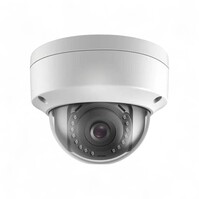
• Resolutie: 4MP (2688 x 1520) • Nachtzicht: tot 15 meter • Opslag: microSD tot 128GB
• Resolutie: 4MP (2688 x 1520) • Nachtzicht: tot 15 meter • Opslag: microSD tot 128GB
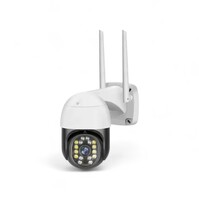
• Resolutie: 1080P HD • Weerbestendigheid: IP65 • Nachtzicht: tot 15 meter
• Resolutie: 1080P HD • Weerbestendigheid: IP65 • Nachtzicht: tot 15 meter
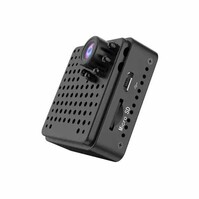
• Resolutie: 1080P Full HD • WiFi-frequentie: 2.4 GHz • Nachtzicht: Infrarood
• Resolutie: 1080P Full HD • WiFi-frequentie: 2.4 GHz • Nachtzicht: Infrarood
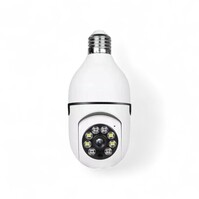
• Resolutie: Full HD 1920x1080 • Gezichtsveld: 360° panoramisch • Aansluiting: E27 fitting, 2.4 GHz Wi‑Fi
• Resolutie: Full HD 1920x1080 • Gezichtsveld: 360° panoramisch • Aansluiting: E27 fitting, 2.4 GHz Wi‑Fi
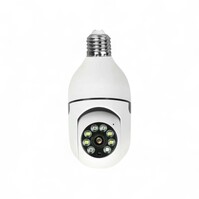
• Resolutie: 1080P HD • Rotatie: 360° gemotoriseerd • Montage: E27 lampfitting
• Resolutie: 1080P HD • Rotatie: 360° gemotoriseerd • Montage: E27 lampfitting
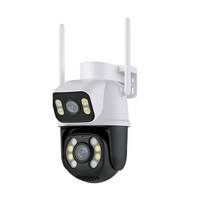
• Resolutie: 6MP (3MP+3MP) • Panoramisch zicht: 360° PTZ • Nachtzicht: Super Starlight, 3 modi
• Resolutie: 6MP (3MP+3MP) • Panoramisch zicht: 360° PTZ • Nachtzicht: Super Starlight, 3 modi
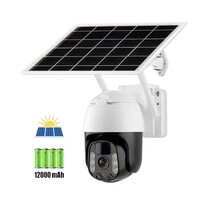
• Resolutie: 3MP (2304×1296) • Nachtzicht: Super Starlight • Voeding: Zonnepaneel + batterij
• Resolutie: 3MP (2304×1296) • Nachtzicht: Super Starlight • Voeding: Zonnepaneel + batterij
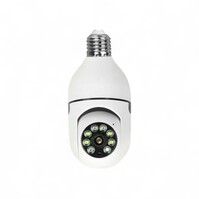
• Resolutie: 1080P HD • Rotatie: 360° gemotoriseerd • Installatie: E27 lampfitting
• Resolutie: 1080P HD • Rotatie: 360° gemotoriseerd • Installatie: E27 lampfitting
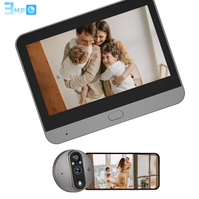
• Camera: 3MP, 140° kijkhoek • Scherm: 4.3" TFT‑display • Batterij: 5000mAh oplaadbaar
• Camera: 3MP, 140° kijkhoek • Scherm: 4.3" TFT‑display • Batterij: 5000mAh oplaadbaar
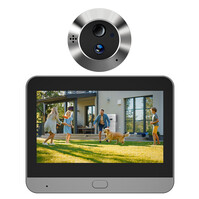
• Camera: 3MP, 140° kijkhoek • Scherm: 4.3" TFT LCD • Batterij: 5000mAh, ca. 30 dagen
• Camera: 3MP, 140° kijkhoek • Scherm: 4.3" TFT LCD • Batterij: 5000mAh, ca. 30 dagen
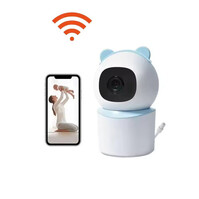
• Resolutie: 4MP • Nachtzicht: Infrarood • Huildetectie: Ja
• Resolutie: 4MP • Nachtzicht: Infrarood • Huildetectie: Ja
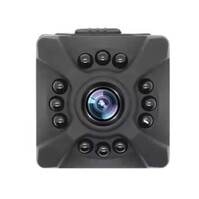
• Resolutie: 1080P HD • Draadloze verbinding: 2.4GHz WiFi • Nachtzicht: Infrarood
• Resolutie: 1080P HD • Draadloze verbinding: 2.4GHz WiFi • Nachtzicht: Infrarood
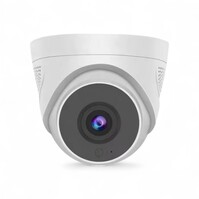
• Resolutie: 4MP (2688 x 1520) • Connectiviteit: 2.4GHz WiFi • Nachtzicht: Infrarood nachtzicht
• Resolutie: 4MP (2688 x 1520) • Connectiviteit: 2.4GHz WiFi • Nachtzicht: Infrarood nachtzicht
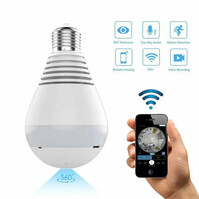
• Resolutie: 1080P Full HD • Lens: 360° fisheye • Installatie/Voeding: E27 fitting
• Resolutie: 1080P Full HD • Lens: 360° fisheye • Installatie/Voeding: E27 fitting
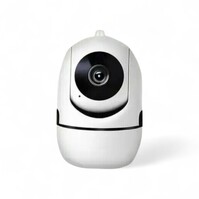
• Beeldresolutie: 1080P HD • Rotatie: 360° gemotoriseerd • Nachtzicht: infrarood tot 10 m
• Beeldresolutie: 1080P HD • Rotatie: 360° gemotoriseerd • Nachtzicht: infrarood tot 10 m
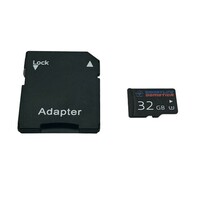
• Opslagcapaciteit: 32GB • Snelheidsklasse: U3 • Bestendigheid: water- en schokbestendig
• Opslagcapaciteit: 32GB • Snelheidsklasse: U3 • Bestendigheid: water- en schokbestendig
Protect your home with smart cameras
With smart cameras, you add instant control to your Smart Home: you can view live video in the app, receive activity alerts, and—depending on the model—review recordings later. That makes a smart security camera ideal for your front door, living room, garage, or (home) office. Instead of only finding out “after the fact” what happened, a WiFi security camera gives you real-time insight so you can respond faster when it matters.
This page is part of Smart Home and connects perfectly with complete solutions within Smart Security. That way you can build your setup step by step to match your home: from a single camera in a smart spot to a complete security layer with multiple components and smart automations.
Which smart security camera fits your needs?
The “best” camera depends on your goal: do you want a wide overview, a more discreet model, or a camera that’s easy to set up without drilling? In the range you’ll find cameras with Full HD (1080P) and models with higher resolution such as 4MP, often combined with infrared night vision for visibility in the dark. Some models are also designed for specific use cases, such as baby/nursery monitoring (with additional detection features) or dome-style cameras with recognition functions (depending on version).
Popular use cases
- Living room / hallway: overview plus motion alerts so you quickly see what’s happening.
- Baby / kids’ room: monitoring with smart detection features (model-dependent) and night vision.
- Front door & entry: combine smartly with a doorbell or alarm for a complete security chain.
- Discreet monitoring: compact cameras for situations where you prefer a low-profile model.
What to look for when choosing a smart WiFi camera
For a camera that works well day to day, a few specs make a real difference. Start with image quality: 1080P is a strong baseline, while 4MP adds extra detail when you want clearer faces or a more precise view of what’s going on. Next, night vision matters because many events happen in the evening or in darker spaces. Also consider detection: virtually every camera offers motion detection, while some go further with person detection (model-dependent).
- Resolution: 1080P (Full HD) or 4MP for extra detail.
- Night vision: infrared for visibility in the dark.
- Connectivity: many smart cameras use 2.4GHz WiFi (check your router settings).
- Notifications: push alerts for motion (and sometimes more advanced detection, depending on model).
- App & ecosystem: ideally choose within one platform (e.g., Tuya-compatible models) if you plan to expand later.
Storage and playback: microSD or cloud (model-dependent)
If you want to review events later, storage is essential. Depending on the model, video can be stored on microSD or via cloud storage. A practical advantage of microSD is local storage without extra steps, and you can easily choose the capacity that matches your usage. Always check per camera which storage options are supported and whether accessories (such as microSD cards) are recommended for stable recording.
Complete your smart security (without “separate islands”)
A smart camera is strong as a standalone solution, but it becomes even more powerful as part of a complete setup. Think of a smart doorbell at the entrance, an alarm system as an active security layer, and motion sensors for targeted triggers in your hallway, corridor, or garage. With this combination, you avoid relying on only one signal and create a logical security flow: detection → notification → action.
- Smart doorbells – see who’s at the door and get alerts on your phone.
- Smart alarm systems – an extra security layer with sensors and scenarios.
- PIR motion sensors – targeted detection for automations and alerts.
Frequently asked questions
Can I use a smart camera without a complicated installation?
Many models are designed for quick setup via app and WiFi. Pay attention to the mounting location, power supply, and whether your WiFi coverage is stable at that spot.
Is 1080P enough, or is 4MP better?
1080P is a solid baseline for many situations. If you want more detail (for example clearer zoom or sharper images), 4MP is often the better choice. Also consider night vision and detection, as these together determine real-world usability.
How do I avoid “too many notifications”?
Choose a smart placement, adjust detection zones/sensitivity (if your model supports it), and combine with sensors for targeted triggers. This makes alerts more relevant and less noisy.
